Tactical Intelligence • Canada

Call of Duty: Mobile Guides Hub

Finrstfeast is an independent editorial portal built for Call of Duty: Mobile players in Canada. Explore structured tactical guides that take you from first login to pushing Legendary rank in both Multiplayer and Battle Royale.

Focus Multiplayer • Ranked • Battle Royale
For New & Experienced Canadian players
Multiplayer Guides Ranked Roadmap

Structured learning paths

Choose your briefing track

Move through the guides in order for a complete training program, or jump directly to the topic you need right now.

Phase 01 • New operator onboarding

Ultimate Beginner's Guide for Canadian COD Mobile Players

This briefing walks you from zero to match-ready in Call of Duty: Mobile, with a focus on players connecting from Canada. You will learn how to configure your account, choose the right game modes, understand the interface, and lock in reliable basic controls.

Difficulty: Beginner
Estimated setup time: 25–35 minutes
Best before: Ranked grind or BR squads

1. Account and Region Setup for Canada

Install Call of Duty: Mobile from your official Canadian app store to ensure access to the correct regional servers. Sign in using a platform that you intend to keep long-term (e.g., Call of Duty account, Apple, or Google) to avoid progress loss.

  • Enable two-factor authentication on your primary login.
  • Use the same account on all devices to keep loadouts synced.
  • Check that your region matchmaking shows stable ping (ideally below 70 ms) on Canadian or nearby North American servers.

2. Understanding Core Game Modes

Start with Multiplayer before touching Ranked or full Battle Royale matches. This keeps the learning curve manageable while letting you test weapons and movement.

  • Team Deathmatch: Best for learning gunfights and map flow.
  • Domination: Introduces objective play and rotation timing.
  • Frontline: Simplified spawns for practicing aim and reaction speed.

Once you are comfortable, transition to mode-specific multiplayer guides and eventually to Ranked and Battle Royale paths.

3. Basic Controls and HUD Orientation

In Settings, switch from simple to advanced shooting controls so you can manually fire each weapon. Use the practice range to tweak buttons gradually instead of overhauling everything at once.

  • Keep movement, jump, and crouch clustered under your left thumb.
  • Place fire, ADS, and tactical equipment within easy reach of your right thumb.
  • Enable a clear mini-map with high contrast so you can track threats while sprinting.

As your skills grow, transition to the more in-depth settings & optimization briefing.

4. Navigating the Interface Efficiently

COD Mobile’s interface is dense. To avoid decision fatigue, focus on a few critical panels:

  • Loadout: Where you configure weapons, perks, and scorestreaks for both Multiplayer and Battle Royale.
  • Events: Seasonal missions, daily tasks, and rewards that boost progression for active Canadian players.
  • Ranked: Competitive matches that should be entered only after you are stable in casual Multiplayer.

Check these screens before each session, then head straight into matches instead of browsing every menu.

Phase 02 • Mastering Multiplayer Tactics

Positioning, Awareness, and Map Control

This section upgrades you from casual run-and-gun play to deliberate, team-focused Multiplayer performance. The focus is on Team Deathmatch, Domination, and Search & Destroy, which dominate the playlist in Canada.

Recommended experience
Level 20+
Enough unlocks to experiment with core weapons and perks.
Target improvement
+15–25% K/D
Measured over 30–40 Multiplayer matches.

1. Positioning Rules for Team Deathmatch

In TDM, your goal is efficient kills without feeding deaths. Play around cover lines and avoid standing in open mid-map corridors. Instead, anchor near head-glitch spots where only your upper body is visible.

  • Choose one side lane and learn its cover points thoroughly.
  • Avoid sprinting blindly into the center; pre-aim common angles instead.
  • Rotate only when your mini-map shows teammates nearby to avoid isolation.

2. Domination: Map Control over Kill Chasing

Domination rewards coordinated map control more than raw kill counts. Approach each map with a three-lane mindset: left, mid, and right. Your team should secure two lanes and lock down crossfires instead of chasing the third flag constantly.

  • Prioritize the safer home + mid flag combination instead of risky triple-caps.
  • Use lethal and tactical grenades to break dug-in defenders at key choke points.
  • In Canadian peak hours, expect aggressive flanks; leave one teammate to watch the long wrap routes.

3. Search & Destroy: Information and Survival

Search & Destroy punishes mistakes harshly. Shift your mindset from constant engagements to high-value, low-risk plays.

  • Use sound cues and mini-map information before hard committing to a site.
  • As a defender, hold angles that force attackers into unfavorable gunfights.
  • As an attacker, coordinate double-peeks and utility usage to clear tight corners.

4. Awareness Training for Mobile Players

On mobile devices, your field of view and audio clarity are often limited. To compensate:

  • Use high-contrast graphics settings to make enemies stand out against the environment.
  • Wear wired or low-latency wireless headphones to pick up directional cues.
  • Practice “mini-map scans” every 2–3 seconds to track teammate positions and probable enemy lines.

Phase 03 • Ranked Progression Blueprint

From Rookie to Legendary on Canadian Servers

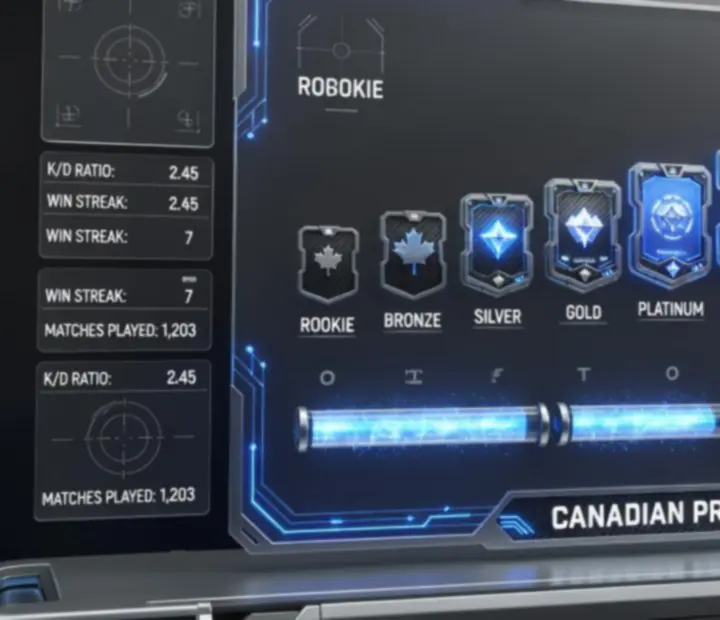
This blueprint breaks Ranked into manageable phases. Each rank band has its own expectations, mistakes to avoid, and recommended practice blocks so that you climb with intention instead of grinding aimlessly.

Start Rookie
Step 2 Veteran
Step 3 Elite
Competitive Pro
Advanced Master
High tier Grandmaster
End goal Legendary

1. Rookie to Elite: Fundamentals over Flexing

In the early ranks, your main job is to remove obvious mistakes. Favor consistent AR and SMG loadouts, avoid constant weapon swapping, and stick to a small map pool where you understand spawns and objectives.

  • Limit Ranked sessions to 3–5 matches at a time to prevent fatigue.
  • After each loss, identify one decision that cost the round rather than blaming teammates.
  • Use casual Multiplayer to warm up your aim before queueing Ranked.

2. Pro to Master: Role Definition and Communication

Once you hit Pro, you need clear role identity—entry, flex, anchor, or support. Matching your loadouts and routes to that role increases your value in every lobby.

  • Pair up with at least one consistent duo partner playing a complementary role.
  • Use short, clear callouts instead of emotional reactions on voice or text chat.
  • Track your deaths per match and actively reduce risky solo pushes.

3. Grandmaster to Legendary: Intentional Practice

The final stretch is less about raw skill and more about discipline. You need a structured training routine and strict mental rules to avoid tilt queues.

  • Create 20–30 minute practice blocks dedicated to specific weaknesses such as flick shots or crosshair placement.
  • Queue during stable hours on your Canadian connection to avoid unusual lag spikes.
  • Stop after two consecutive losses and switch to casual or training mode.

4. Road to Legendary: Competitive Mindset

Legendary players treat each match as data. Keep a simple log capturing map, mode, role, and one improvement note per match. Over a Canadian season, this creates a personalized playbook that no generic guide can match.

Combine this blueprint with the dedicated Ranked hub for map-specific breakdowns, loadout recommendations, and seasonal meta shifts.

Phase 04 • Battle Royale Survival Guide

Landing, Looting, and Final-Circle Execution

This Battle Royale briefing is built like a tactical operations plan. It covers where to land, how to loot efficiently, and how to play the closing circles for both solo and squad queues on Canadian connections.

1. Smart Landing Zones

Instead of hot-dropping every game, categorize potential landing spots as high, medium, or low risk based on typical player traffic and loot density.

  • High risk: Dense POIs with top-tier loot and early chaos.
  • Medium risk: Edge towns and compounds with enough loot for a squad.
  • Low risk: Isolated clusters where you can gear up quietly before rotating.

2. Efficient Looting and Loadout Priorities

Prioritize weapons and items that stabilize fights quickly:

  • One reliable mid-range weapon (AR or LMG) plus a close-range SMG or shotgun.
  • Armor plates and healing before niche equipment.
  • Attachments that tame recoil and improve ADS speed for mobile aiming.

As soon as you are stable, rotate toward class chip upgrades and high-ground positions instead of chasing random combat.

3. Rotations and Zone Management

Use the early circles to move ahead of the zone, not with it. On Canadian servers, this helps offset occasional latency spikes during chaotic transitions.

  • Rotate early toward the next safe zone using cover-rich routes instead of highways.
  • Avoid driving vehicles straight into final circles; park early and approach on foot.
  • In squads, assign one player to scan for third-party threats while others loot.

4. Final-Circle Tactics for Solo and Squads

In late-game circles, information is more valuable than extra kills.

  • Play the edge of the zone to minimize angles you can be shot from.
  • Use natural cover and terrain elevation instead of exposing yourself on rooftops.
  • In squads, stagger peeks and trade damage instead of pushing one by one.

Phase 05 • Best Loadouts for Every Playstyle

Aggressive, Stealth, and Balanced Configurations

This briefing provides a framework for building loadouts around playstyle instead of copying random lists. Each archetype is tuned for mobile ergonomics and common Canadian connection conditions.

Playstyle

Aggressive Entry

Designed for players who take first contact in Multiplayer and Ranked.

  • Fast-handling AR or SMG with recoil control attachments.
  • Perks that boost sprint, reload speed, and immunity to key tacticals.
  • Scorestreaks that reveal enemy positions for snap pushes.

Playstyle

Stealth Flanker

Ideal for players who love cutting off enemy rotations.

  • Suppressed weapons to stay off the mini-map.
  • Perks that reduce footstep noise and keep you hidden from UAVs.
  • Equipment that blocks vision or info during flank pushes.

Playstyle

Balanced Flex

For players who swap between objectives, entry, and support based on team needs.

  • Versatile AR builds that work in both close and mid-range fights.
  • Perk combinations that keep you mobile while protecting against explosives.
  • Scorestreaks that help swing objective fights without overcommitting.

Once you understand these archetypes, head to the dedicated loadout builder to mix and match weapons, attachments, perks, and scorestreaks into a consistent kit for both Multiplayer and Battle Royale.

Phase 06 • Weapon Comparison Matrix

Side-by-Side Tactical Weapon Evaluations

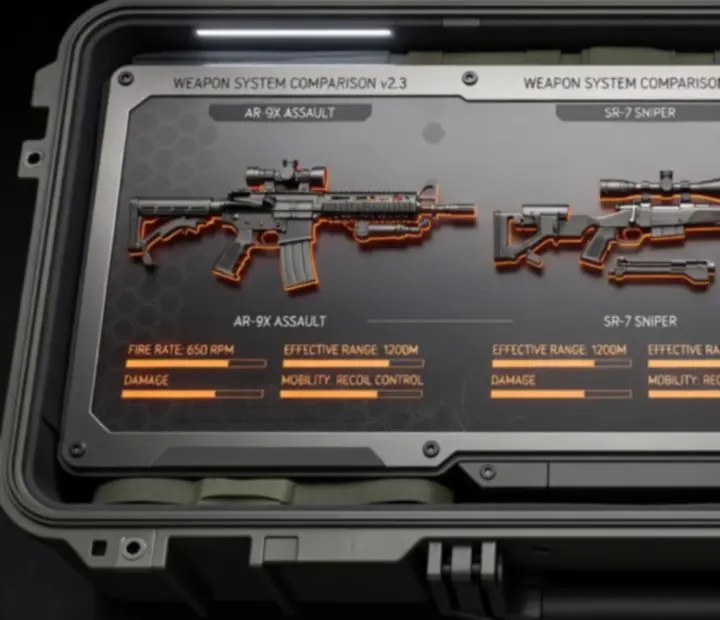
This matrix helps you choose the right gun for your role instead of endlessly swapping weapons between matches. It compares strength, accuracy, mobility, and range across popular COD Mobile guns.

Sample comparison: Core weapons Editorial data
Weapon role Strength Accuracy Mobility Effective range
Assault Rifle – versatile High High Medium Medium-long
SMG – close-quarters Medium Medium Very high Short
Sniper – long range Very high High Low Very long

Use these patterns as a starting point, then refine using the detailed weapon pages for precise attachment combinations and recoil profiles.

Phase 07 • Map Mastery: Legendary Locations

Signature Map Breakdown: Nuketown, Shipment, Rust, Terminal, Raid, Hijacked

These classic maps define much of COD Mobile’s Multiplayer identity. Mastering their lanes, power positions, and objective routes dramatically increases your consistency across Canadian playlists.

1. Power Positions and Lanes

Every legendary map has predictable high-ground and cover-rich areas where strong players can control engagements.

  • Nuketown: Window power positions and mid-bus head glitches.
  • Shipment: Short sightlines and pre-naded choke points.
  • Rust: Tower control balanced by strong ground-level crossfires.

2. Spawn Awareness and Punish Routes

Learn how spawns flip based on your team’s position and pressure. Over-pushing into enemy territory can backfire and expose you to fresh spawns behind you.

  • Stop one or two lanes short of the enemy spawn to maintain predictable lines.
  • On small maps like Shipment, rotate diagonally after each wave to avoid spawn traps.
  • On larger maps like Terminal and Raid, anchor power positions instead of spawn rushing.

3. Objective Routes and Crossfire Setups

For Domination and Hardpoint, your team should move like a coordinated unit rather than five solo players.

  • Build 2–3 primary routes to each objective that use cover and off-angles.
  • Assign one player to watch predictable flanks while others contest the hill.
  • Use lethal and tactical equipment to stall enemy pushes while you rotate.

Phase 08 • Settings & Mobile Optimization

Sensitivity, HUD, Graphics, and Device Performance

This technical briefing tunes your phone or tablet for consistent performance during Canadian play sessions. It focuses on clarity, frame-rate stability, and control precision rather than flashy visuals.

1. Sensitivity and Aim Settings

Use a stable baseline sensitivity first, then adjust incrementally.

  • Enable separate sensitivities for scope levels so you can fine-tune sniping versus close-range fights.
  • Increase or decrease in small steps and test each change over several matches.
  • If you use a tablet, lower sensitivity slightly to compensate for larger swipe distances.

2. HUD and Control Layouts

Arrange your HUD around your thumb reach zones. Important actions like ADS, shooting, crouching, and jump-sliding should be near natural thumb arcs to reduce strain.

  • Use the training range to refine button placements without match pressure.
  • Keep the mini-map large enough to read quickly but not blocking your sightlines.
  • Place scorestreak buttons away from core movement buttons to avoid mis-taps.

3. Graphics and Frame-Rate Optimization

On Canadian networks, maintaining smooth frame rates is often more impactful than ultra-high graphics settings.

  • Prioritize higher frame-rate options over maximum textures.
  • Reduce motion blur and unnecessary visual effects that make tracking targets harder.
  • Keep brightness and contrast high enough to distinguish operators from the background.

4. Device Performance and Storage

COD Mobile can be demanding on storage and thermals. To keep your device stable:

  • Close background apps before starting a session.
  • Enable only the HD resource packs you actively need.
  • Play in cooler environments or use a stand to improve airflow during long Ranked climbs.

Ongoing series

Tactical Intelligence Stream

A living collection of editorial strategy briefs covering aim training, movement, recoil control, positioning, communication, and Ranked mindset for COD Mobile players across Canada.

Precision

Aim Improvement Blocks

Short, repeatable drills in the training range to tighten your crosshair placement and reaction time on mobile.

Include in your daily warm-up

Communication

Squad Callout Templates

Simple, repeatable callouts that work for Canadian squads across maps and modes.

Apply in Battle Royale

Mindset

Ranked Tilt Management

Rules to keep your performance steady—even when matchmaking and RNG are not on your side.

Link with Ranked Blueprint